Fundraisers, you can now take contactless donations for ACCT UK on your smartphone, with the free, safe and secure, Givestar app. Donors simply tap to donate using their debit card or smartphone against yours. Here’s how…
How to set up your phone for tap to donate payments
Download the free Givestar fundraising app to your phone from the App Store, or Google Play. Note: The givestar app requires location access to work with tap to donate, because it needs to verify the user is in an eligible region. On an Android device, you’ll need to have NFC enabled and be running Android 10 or above. For iPhones, you must be running iOS 16.7 or later on an iPhone XS or newer.
Open the app and create an account using your name and email address.
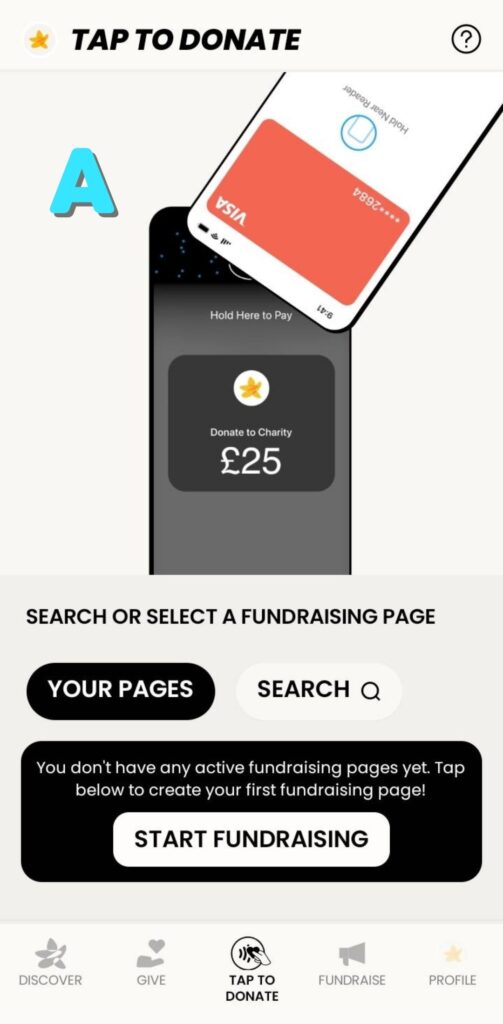
Press on the tap to donate button at the bottom of the home screen (pic A)
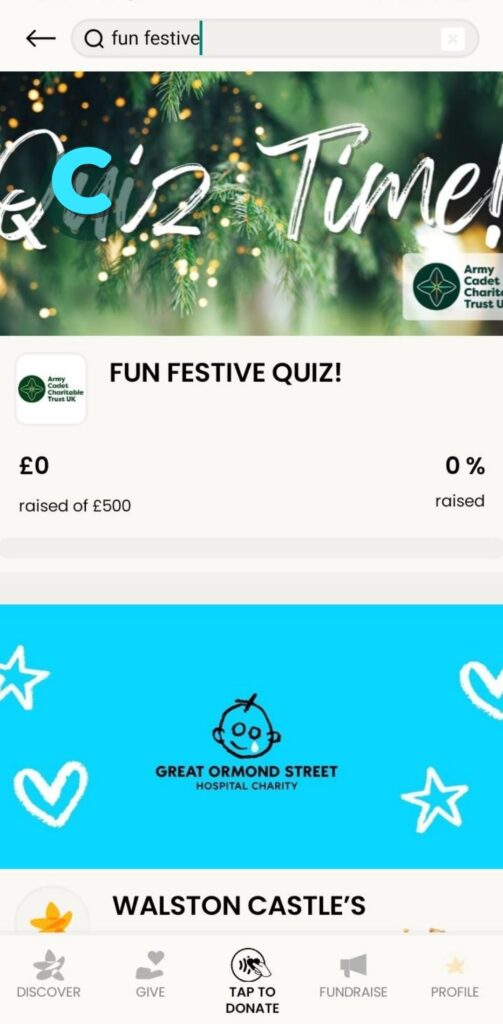
Click the search button and type in the campaign that you are collecting donations for – e.g. ACCT UK fun festive quiz (pic B)
Click to select the fundraising page (pic C)
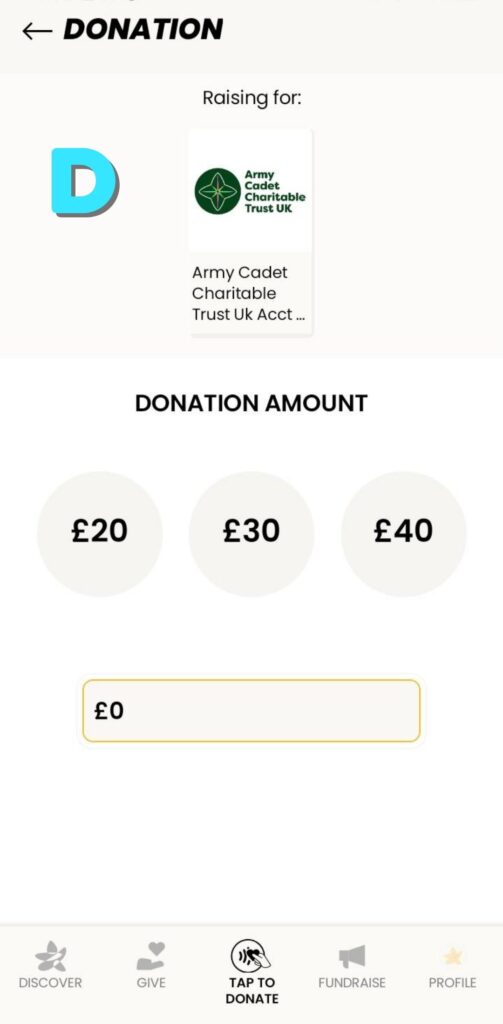
Enter an amount, or choose one of the suggested amounts (pic D)
Ask your supporter to tap their card to the contactless symbol on your phone, and the donation will go straight onto your chosen fundraising page. Note: for Android phones, the payment card must be tapped at the rear of the phone)